


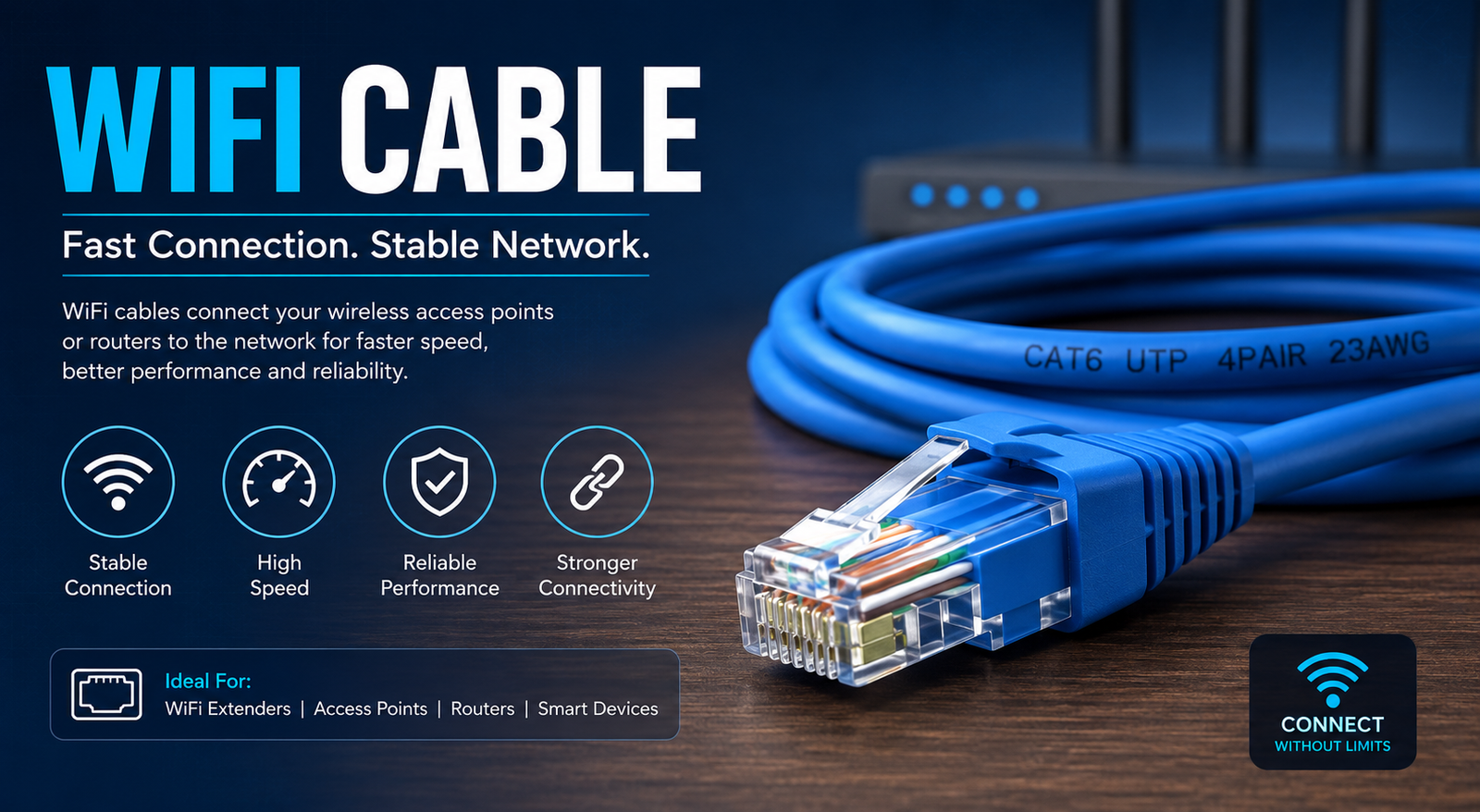
When people hear the term wifi cable, they often get confused. After all, WiFi is supposed to be wireless, so how can it involve a cable? The truth is that the phrase “WiFi cable” is commonly used to describe the Ethernet cable that connects your modem or router to the internet or links your devices for a more stable connection. Even though WiFi itself is wireless, the technology behind it relies heavily on cables to deliver the best possible performance.
Whether you’re working from home, streaming 4K videos, gaming online, or managing a smart home, having the right cable setup plays a significant role in internet speed and stability. While wireless technology has become more advanced, wired connections are still the gold standard for reliability and consistent performance.
In this guide, we’ll explain what a WiFi cable really is, how it works, the different types available, their benefits, and how to choose the right one for your needs. By the end of this article, you’ll understand why investing in a quality Ethernet cable can dramatically improve your internet experience.
What Is a WiFi Cable?
A WiFi cable is not a cable that transmits WiFi signals directly. Instead, it’s a common name people use for an Ethernet cable, which connects networking devices like routers, modems, switches, and computers. These cables provide the physical connection that enables internet data to travel quickly and efficiently.
Your internet service provider usually brings the internet connection to your home through a fibre optic, DSL, or coaxial cable. From there, your modem and router use Ethernet cables to distribute the connection internally. The router then broadcasts a wireless WiFi signal for your phones, laptops, tablets, and smart devices.
Even if you mostly rely on wireless internet, your router itself depends on wired connections to function properly. That’s why having a high-quality Ethernet cable is essential for maintaining fast and reliable internet throughout your home or office.
Different Types of WiFi Cables
One of the most important things to understand is that not all Ethernet cables are created equal. Different categories are designed for different speeds and bandwidth requirements.
Cat5e is one of the most common cables found in homes. It supports speeds up to 1 Gbps and is suitable for most everyday internet activities, including video streaming, online gaming, and remote work. It’s affordable and continues to be a reliable option for many users.
Cat6 offers improved performance with better shielding against interference. It supports speeds up to 10 Gbps over shorter distances, making it ideal for households with multiple connected devices or users who regularly transfer large files across a local network.
Cat6a, Cat7, and Cat8 are designed for even higher performance. These cables offer better shielding, faster speeds, and greater bandwidth, making them suitable for businesses, professional content creators, and data-intensive environments. Although they cost more, they provide excellent long-term value for users who demand maximum performance.
Why Ethernet Cables Are Better Than Wireless in Many Situations
While WiFi offers incredible convenience, wired connections still outperform wireless connections in several important ways.
First, Ethernet cables provide significantly lower latency. This is especially important for competitive online gaming, video conferencing, and live streaming. Lower latency means less delay between sending and receiving data, resulting in smoother performance.
Second, wired connections deliver more consistent speeds. WiFi signals can weaken because of walls, furniture, neighbouring networks, and electronic devices. An Ethernet cable eliminates these issues by providing a direct physical connection between your device and the router.
Finally, wired connections are generally more secure. Since data travels through a cable instead of being broadcast wirelessly, it’s much more difficult for unauthorised users to intercept your network traffic. For businesses and users handling sensitive information, this added security is a valuable benefit.
Choosing the Right WiFi Cable
Selecting the right cable depends on your internet speed, budget, and future networking needs. If your internet plan is under 1 Gbps, a Cat5e cable will usually meet your requirements without any issues.
For users with gigabit internet plans or homes filled with smart devices, upgrading to Cat6 is often a smart investment. It provides better performance, improved shielding, and greater reliability while remaining reasonably affordable.
If you’re planning a new office installation or want a network that remains future-proof for many years, Cat6a or Cat7 may be worth considering. Although these cables are more expensive, they support faster data rates and can handle increasing internet demands as technology continues to evolve.
Common Uses of WiFi Cables
WiFi cables are used in far more places than many people realise. Every home router typically includes at least one Ethernet cable connecting the modem to the router. Additional cables may connect desktop computers, gaming consoles, printers, or network storage devices.
Businesses rely heavily on Ethernet cables because stable connections are essential for productivity. Offices connect servers, switches, VoIP phones, security cameras, and workstations using Ethernet to ensure uninterrupted communication and data transfer.
Even smart home enthusiasts use Ethernet cables to improve network reliability. Devices such as smart TVs, streaming boxes, gaming systems, and home automation hubs often perform better when connected directly through Ethernet instead of relying solely on wireless signals.
Tips for Installing a WiFi Cable
Installing an Ethernet cable is generally straightforward, but following a few best practices can improve both performance and longevity.
Avoid sharply bending the cable or placing heavy objects on top of it. Excessive pressure can damage the internal wires and reduce signal quality over time. If the cable needs to pass through walls or ceilings, consider using cable conduits for added protection.
Keep Ethernet cables away from electrical wiring whenever possible. Running networking cables parallel to power cables may introduce electromagnetic interference, especially with older cable types. Proper cable management helps maintain optimal network performance.
Finally, choose the correct cable length. While Ethernet cables can support long distances, unnecessarily long cables create clutter and may become damaged more easily. Measure your installation carefully before purchasing to ensure a neat and efficient setup.
Common Myths About WiFi Cables
One common misconception is that buying the most expensive Ethernet cable will automatically make your internet faster. In reality, your internet speed is limited by your ISP plan, router, modem, and connected devices. A premium cable won’t increase speeds beyond what your equipment supports.
Another myth is that WiFi makes Ethernet cables obsolete. Although wireless technology continues to improve, wired connections remain essential for maximum speed, stability, and security. Most professional networking environments still rely heavily on Ethernet infrastructure.
Some people also believe that all Ethernet cables are identical. While they may look similar on the outside, different cable categories have different speed ratings, shielding levels, and bandwidth capabilities. Choosing the appropriate category ensures you get the best performance for your specific setup.
Maintaining Your WiFi Cable
Proper maintenance can significantly extend the lifespan of your Ethernet cables. Regularly inspect connectors for dust or damage, especially if cables are frequently unplugged and reconnected. Clean connectors gently using compressed air if necessary.
Avoid pulling cables by the connector when disconnecting them. Instead, press the release tab and remove the cable carefully. This prevents damage to both the connector and your networking equipment.
If you notice slower speeds or intermittent network problems, don’t overlook the possibility of a damaged cable. Replacing an old or faulty Ethernet cable is inexpensive and often resolves unexpected connectivity issues.
Conclusion
Although the phrase WiFi cable may sound contradictory, it usually refers to the Ethernet cable that forms the backbone of modern networking. While wireless technology offers flexibility and convenience, wired connections continue to provide unmatched speed, stability, security, and reliability.
Choosing the right cable category, installing it correctly, and maintaining it properly can make a noticeable difference in your internet experience. Whether you’re browsing the web, streaming movies, attending online meetings, or gaming competitively, a quality Ethernet cable helps ensure your network performs at its best.
As internet speeds continue to increase and more devices connect to our home networks, investing in reliable networking hardware becomes increasingly important. A good WiFi cable may not be visible once installed, but it remains one of the most valuable components of any fast and dependable internet setup.
Frequently Asked Questions (FAQs)
1. What is a WiFi cable?
A WiFi cable usually refers to an Ethernet cable that connects networking devices like routers, modems, switches, and computers to provide a stable internet connection.
2. Which Ethernet cable is best for home internet?
For most homes, Cat6 is the best choice because it offers excellent speed, reliability, and future-proof performance at a reasonable price.
3. Does using an Ethernet cable make the internet faster?
An Ethernet cable doesn’t increase your ISP’s internet speed, but it provides a more stable, consistent, and lower-latency connection than WiFi, allowing you to experience your full available speed.
4. Can I use a WiFi cable for gaming?
Yes. Ethernet cables are highly recommended for online gaming because they reduce lag, minimise latency, and provide a more reliable connection than wireless networks.
5. How long can an Ethernet cable be without losing performance?
Most standard Ethernet cables can run up to 100 metres (328 feet) while maintaining full performance, making them suitable for both homes and offices.
You May Also Read: antique glass mirror
