


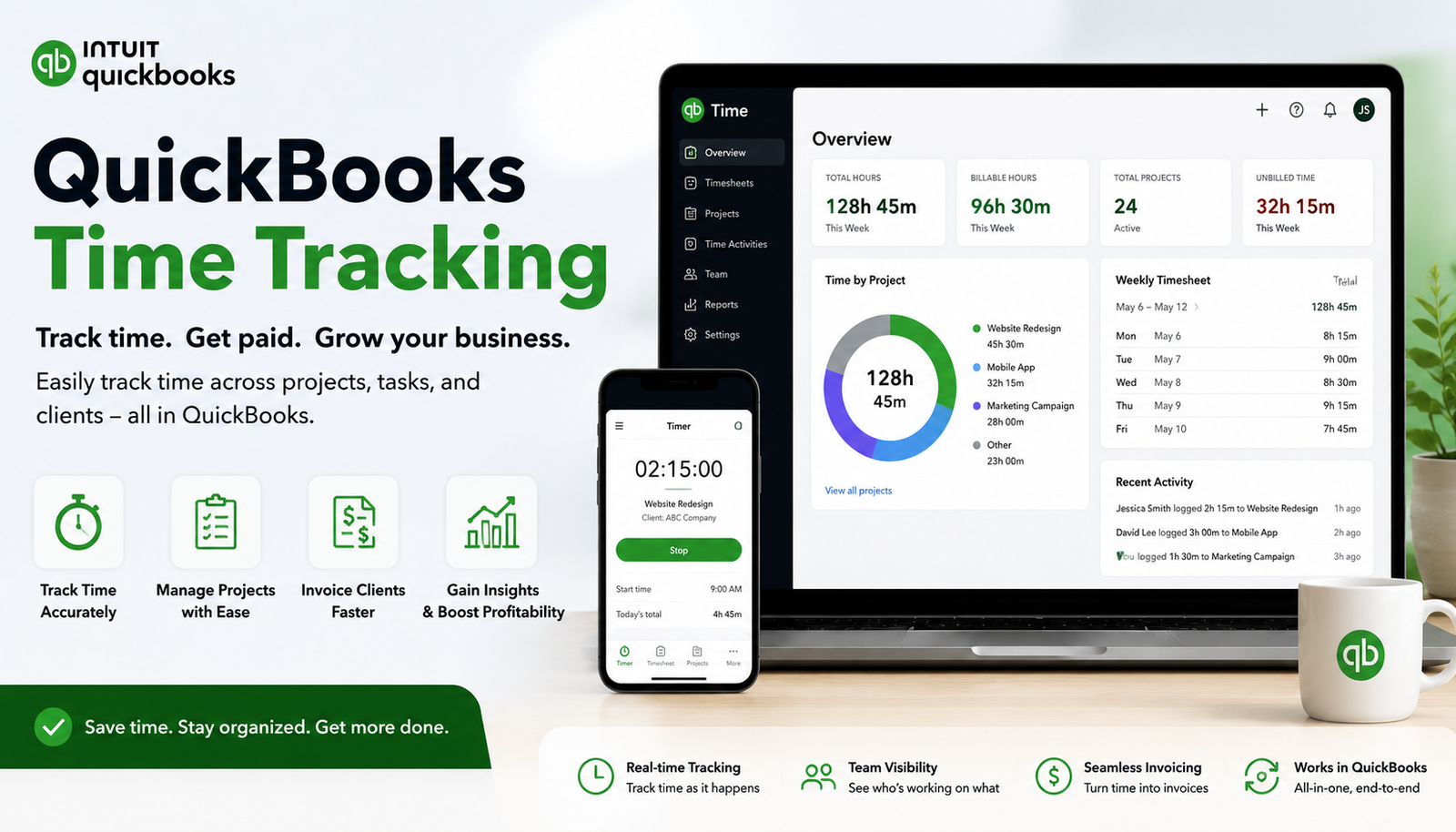
Managing employee hours accurately is one of the biggest challenges for modern businesses. Whether you run a construction company, accounting firm, service business, or a growing startup, manually tracking work hours can lead to payroll mistakes, missed billable time, and unnecessary administrative work. This is where QuickBooks Time Tracking helps businesses create a more organised and reliable workforce management system.
QuickBooks Time allows companies to track employee hours, manage schedules, monitor projects, and connect time data directly with accounting and payroll processes. Instead of relying on spreadsheets or paper timesheets, businesses can use digital tracking tools to improve accuracy and save valuable time.
Previously known as TSheets time tracking, QuickBooks Time has become a popular solution for businesses that need better visibility into employee work hours. From mobile workers to office teams, it provides tools that help managers understand where time is being spent and how labour costs affect profitability.
This guide explains how QuickBooks Time Tracking works, its key features, benefits, setup process, use cases, and why it can be a valuable option for businesses looking to improve productivity.
What Is QuickBooks Time Tracking?
QuickBooks Time Tracking is an employee time management solution designed to help businesses record, manage, and analyse working hours. It allows employees to clock in and out digitally while managers can review timesheets, approve hours, and use the data for payroll and invoicing.
Unlike traditional time tracking methods, QuickBooks Time provides real-time information about employee schedules, project hours, and workforce activity. It works especially well for businesses with hourly employees, remote teams, contractors, and field workers.
The platform integrates with QuickBooks Online and other accounting workflows, making it easier to transfer accurate time records into payroll systems. This reduces manual data entry and helps prevent common payroll issues such as incorrect overtime calculations or missing hours.
Businesses can access their account through QuickBooks Time login and manage employees, schedules, and timesheets from a central dashboard.
How Does QuickBooks Time Tracking Work?
QuickBooks Time follows a simple process that connects employee time records with business operations.
Employees Track Their Working Hours
Employees can record their working hours using desktop access, mobile devices, or a shared device through QuickBooks Time Kiosk. They can clock in when starting work and clock out when finishing their shift.
For field employees, the QuickBooks time tracking app allows workers to update their hours while working away from the office. This makes it easier for managers to collect accurate data from different locations.
Managers Review and Approve Timesheets
Once employees submit their hours, managers can review timesheets before approving them. They can check:
- Total hours worked
- Overtime
- Project hours
- Employee schedules
- Location details
This approval process ensures payroll information is accurate before being processed.
Time Data Connects With Accounting
One of the biggest advantages of QuickBooks Time Online is its connection with accounting systems. Approved hours can be used for payroll calculations, invoices, and project costing.
For example, a marketing agency tracking billable client hours can quickly identify how much time was spent on each project and create more accurate invoices.
Key Features of QuickBooks Time Tracking
QuickBooks Time offers several features designed to simplify employee management and improve business efficiency.
Employee Time Tracking
The core feature of QuickBooks Time is digital employee time tracking. Instead of manually recording hours, employees can use automated timesheets that provide accurate records.
This helps businesses reduce:
- Time theft
- Manual errors
- Missing hours
- Payroll disputes
Managers gain better visibility into employee attendance and productivity.
GPS Tracking and Location Monitoring
For businesses with mobile employees, GPS tracking can provide valuable information about where work is being completed.
For example, a plumbing company with technicians visiting multiple customer locations can verify job locations and accurately track travel and working hours.
GPS tracking is particularly useful for:
- Construction companies
- Cleaning services
- Delivery businesses
- Repair companies
QuickBooks Time Kiosk
QuickBooks Time Kiosk is designed for workplaces where multiple employees need to clock in and out from one shared device.
It is commonly used in:
- Restaurants
- Warehouses
- Retail stores
- Manufacturing facilities
Employees can quickly enter their details and record their working time without needing individual devices.
Employee Scheduling
Managing employee schedules becomes easier with built-in scheduling tools. Managers can create shifts, assign jobs, and communicate schedules with employees.
This reduces scheduling conflicts and helps businesses ensure they have enough staff available when needed.
Project and Job Tracking
Businesses that work on multiple projects can use QuickBooks Time to understand how labour hours are distributed.
For example, a construction company can track how many hours workers spend on different building projects. This information helps calculate project profitability and identify areas where costs are increasing.
Reports and Analytics
QuickBooks Time provides reporting tools that help businesses make better decisions.
Managers can review:
- Employee hours
- Overtime reports
- Project costs
- Attendance patterns
- Labour efficiency
These insights allow businesses to improve workforce planning.
Benefits of Using QuickBooks Time Tracking
Using a dedicated time tracking system provides several advantages compared with manual tracking methods.
| Manual Time Tracking | QuickBooks Time Tracking |
| Paper timesheets | Digital employee records |
| Higher risk of errors | More accurate hour tracking |
| Slow payroll preparation | Faster payroll processing |
| Limited visibility | Real-time workforce insights |
| Difficult project tracking | Easy job and project monitoring |
Improves Payroll Accuracy
Payroll mistakes can damage employee trust and create administrative problems. QuickBooks Time helps businesses maintain accurate records by automatically collecting employee hours.
This reduces errors related to:
- Incorrect overtime
- Forgotten shifts
- Wrong working hours
- Manual calculations
Saves Administrative Time
Many businesses spend hours collecting and checking employee timesheets. Digital tracking reduces this workload by automating the process.
Managers can spend less time managing paperwork and more time focusing on business growth.
Helps Control Labour Costs
Labour is one of the largest expenses for many businesses. QuickBooks Time helps companies understand where their money is going.
By analysing time reports, businesses can identify:
- Excessive overtime
- Unprofitable projects
- Scheduling problems
- Productivity issues
Supports Remote and Field Teams
Modern businesses often operate with employees working from different locations. QuickBooks Time makes it easier to manage teams that are not always in the office.
Employees can submit hours from mobile devices while managers maintain visibility from anywhere.
QuickBooks Time Tracking App: Managing Time On The Go
The QuickBooks time tracking app allows employees and managers to access time management features from smartphones and tablets.
Mobile features include:
- Clocking in and out
- Viewing schedules
- Updating timesheets
- Tracking locations
- Managing projects
A field service employee, for example, can record hours immediately after completing a customer job instead of trying to remember details at the end of the day.
How To Set Up QuickBooks Time Tracking
Getting started with QuickBooks Time is relatively simple.
Step 1: Complete QuickBooks Time Sign Up
Businesses can begin by completing the QuickBooks time tracking sign up process and creating their account.
During setup, companies can add business details and choose the features they need.
Step 2: Add Employees
After creating an account, managers can invite employees and set permissions.
Different access levels can be created for:
- Employees
- Supervisors
- Administrators
Step 3: Configure Tracking Settings
Businesses can customise settings such as:
- Time tracking preferences
- Notifications
- Scheduling options
- Location settings
Step 4: Create Jobs and Projects
Companies can add customers, projects, or tasks to make tracking more organised.
Step 5: Review Timesheets
Managers should regularly review submitted hours to ensure accuracy before sending information to payroll.
QuickBooks Time Tracking for Different Industries
Different industries can benefit from QuickBooks Time in unique ways.
Construction Businesses
Construction companies often manage workers across multiple job sites. QuickBooks Time helps track labour hours, project costs, and employee locations.
Accounting Firms
Accounting professionals can track billable hours spent on different clients and improve invoice accuracy.
Field Service Companies
Technicians can record time directly from customer locations, making billing and scheduling easier.
Small Businesses
Small businesses can replace spreadsheets with a simple digital system for managing employee hours and payroll information.
QuickBooks Time Premium: Is It Worth Considering?
QuickBooks Time Premium is designed for businesses that need advanced time tracking features beyond basic employee hours.
Premium features may include enhanced scheduling, reporting, and workforce management tools.
Businesses with larger teams or complex scheduling needs may find these additional capabilities useful compared with basic tracking solutions.
QuickBooks Online Time Tracking vs QuickBooks Time
Many users confuse QuickBooks Online time tracking with QuickBooks Time.
QuickBooks Online may provide basic time-related features within accounting workflows, while QuickBooks Time focuses specifically on detailed employee time management.
| Feature | QuickBooks Online Time Tracking | QuickBooks Time |
| Basic time records | Yes | Yes |
| Employee scheduling | Limited | Yes |
| GPS tracking | Limited | Yes |
| Mobile workforce management | Limited | Yes |
| Advanced reports | Limited | Yes |
Businesses that need detailed workforce management usually benefit more from dedicated QuickBooks Time features.
Common Mistakes When Using Time Tracking Software
Even the best software requires proper implementation.
Not Training Employees
Employees should understand why tracking is important and how it benefits everyone.
Creating Complicated Processes
Time tracking should be simple. Too many unnecessary rules can reduce employee adoption.
Ignoring Reports
Businesses should regularly review tracking data to identify opportunities for improvement.
Conclusion
QuickBooks Time Tracking provides businesses with a smarter way to manage employee hours, payroll information, and workforce productivity. By replacing manual timesheets with digital tracking, companies can improve accuracy, reduce administrative work, and gain better control over labour costs.
From the QuickBooks time tracking app and GPS features to QuickBooks Time Kiosk and advanced reporting tools, the platform offers solutions for businesses with office employees, remote workers, and field teams. For organisations already using QuickBooks or those looking for a reliable employee time management solution, QuickBooks Time can help create a more efficient workflow.
Frequently Asked Questions About QuickBooks Time Tracking
1. What is QuickBooks Time Tracking used for?
QuickBooks Time Tracking is used to record employee hours, manage schedules, monitor projects, track locations, and improve payroll accuracy.
2. Is QuickBooks Time the same as TSheets?
Yes. QuickBooks Time was previously known as TSheets. The platform was renamed after becoming part of the QuickBooks ecosystem.
3. Can QuickBooks Time track employees using GPS?
Yes, QuickBooks Time includes GPS tracking features that help businesses monitor field employees and verify job locations.
4. Does QuickBooks Time work with QuickBooks Online?
Yes, QuickBooks Time integrates with QuickBooks Online to simplify payroll, accounting, and time management workflows.
5. How do employees access QuickBooks Time?
Employees can access QuickBooks Time through web browsers, mobile apps, or QuickBooks Time Kiosk depending on the company setup.
6. Is QuickBooks Time suitable for small businesses?
Yes, QuickBooks Time can be useful for small businesses that need accurate employee hour tracking, scheduling, and payroll support.
You May Also Read: digital restaurant menu template
