
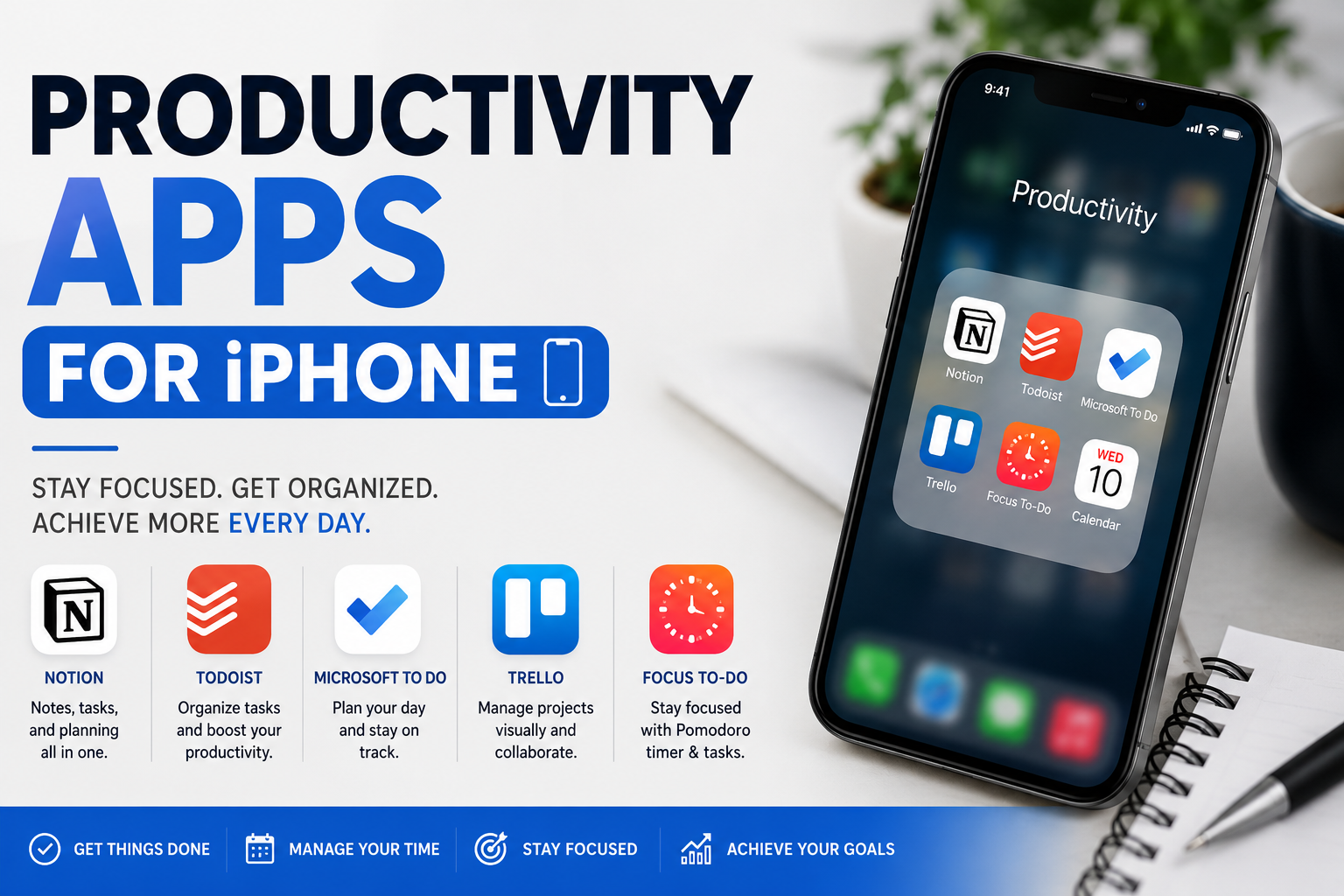
Productivity Apps for iPhone Modern work no longer happens in one place. Professionals shift between meetings, messages, documents, reminders, calendars, and creative tasks throughout the day. That constant movement makes mobile efficiency more important than ever, and the best productivity apps for iPhone are designed to reduce friction, save time, and improve focus without overwhelming users.
The iPhone has evolved into a powerful productivity hub for entrepreneurs, students, remote workers, creators, executives, and teams. From AI-powered note-taking platforms to advanced task managers and collaborative workspace tools, the right app ecosystem can transform how people organize their schedules, manage projects, and maintain momentum. Choosing the right tools, however, is not always simple. Many apps promise efficiency while adding complexity, subscription fatigue, or unnecessary distractions.
Why Productivity Matters More Than Ever on Mobile Devices
The shift toward flexible work environments has increased reliance on smartphones for essential tasks. People now respond to emails, attend meetings, manage projects, edit files, and track goals directly from mobile devices. As a result, productivity apps for iPhone are no longer secondary tools. They are central components of modern workflows.
At the same time, digital overload has become a major challenge. Notifications, fragmented communication, and multitasking can reduce concentration and create mental fatigue. Effective productivity systems help users simplify decision-making, prioritize meaningful work, and create structure in fast-moving environments.
What Makes a Great Productivity App for iPhone
Strong productivity tools combine speed, clarity, and usability. The best apps minimize taps, sync across devices, and integrate naturally with daily routines. They feel intuitive rather than demanding, which helps users maintain consistency over time.
Performance also matters. Apps that drain battery life, require constant configuration, or introduce clutter often become abandoned quickly. The most successful productivity apps for iPhone focus on reliability, elegant design, and practical value instead of unnecessary features.
How iPhone Productivity Ecosystems Have Evolved
Early Productivity Apps for iPhone focused mainly on simple note-taking or to-do lists. Today’s platforms integrate artificial intelligence, cloud collaboration, automation, calendar syncing, and cross-platform workflows. This evolution reflects changing work habits and growing expectations around mobile efficiency.
Apple’s ecosystem has also contributed significantly to productivity innovation. Features like Focus Mode, widgets, Live Activities, Siri Shortcuts, and seamless Mac synchronization allow apps to create highly personalized workflows. Users increasingly expect productivity apps for iPhone to work effortlessly across their entire digital environment.
The Most Important Categories of Productivity Apps
Different users define productivity differently. Some prioritize organization and scheduling, while others focus on creativity, collaboration, or time management. Understanding app categories helps narrow the search for the right solution.
The main productivity categories include task management, note-taking, calendar planning, cloud storage, habit tracking, focus enhancement, team collaboration, document editing, automation, and communication. Many modern apps blend multiple categories into unified workspaces to reduce app switching.
Best Task Management Apps for iPhone
Task management apps help users organize responsibilities, prioritize work, and track progress over time. These tools are especially valuable for professionals managing multiple projects or individuals balancing personal and professional obligations.
Popular solutions such as Todoist, Things 3, and Microsoft To Do offer different approaches to productivity. Some emphasize minimalist interfaces, while others prioritize collaboration, tagging systems, recurring workflows, and advanced project structures.
Why Todoist Remains a Leading Choice
Todoist continues to attract users because it balances simplicity with depth. The interface feels approachable for beginners while still supporting advanced workflows through labels, filters, priorities, and recurring deadlines.
Its natural language input system also improves speed. Users can type phrases like “Submit proposal Friday at 2 PM” and instantly generate scheduled tasks. That frictionless experience is one reason many professionals consider it among the most effective productivity apps for iPhone.
The Appeal of Things 3 for Apple Users
Things 3 is widely praised for its elegant design and smooth integration within the Apple ecosystem. The app focuses heavily on clarity and visual simplicity, which appeals to users who dislike cluttered interfaces.
Many users appreciate its thoughtful organization system, including areas, projects, and upcoming schedules. Rather than overwhelming people with endless options, the app emphasizes intentional planning and calm productivity.
Note-Taking Apps That Improve Knowledge Management
Ideas often disappear quickly without reliable capture systems. Note-taking apps provide centralized spaces for brainstorming, meeting summaries, research organization, and long-term knowledge retention.
Leading options include Notion, Evernote, and Apple Notes. Each platform serves different user preferences, ranging from lightweight note capture to highly structured databases and collaborative workspaces.
How Notion Changed Digital Organization
Notion transformed productivity culture by combining notes, databases, wikis, calendars, and project management into one flexible environment. Users can create personalized systems tailored to nearly any workflow.
Its modular structure supports both personal organization and team collaboration. Instead of forcing rigid templates, the platform encourages users to design workflows that reflect their own processes and priorities.
Apple Notes Has Become Surprisingly Powerful
Many iPhone users underestimate Apple Notes because it comes preinstalled. However, the app has evolved into a highly capable productivity solution with document scanning, smart folders, tags, collaboration, and handwriting support.
The biggest advantage is convenience. Since it integrates deeply with iOS, users can capture ideas instantly without switching ecosystems or configuring third-party services.
Calendar Apps That Strengthen Time Management
Time management is one of the most overlooked aspects of productivity. Even highly organized task lists lose value when schedules become chaotic or overloaded.
Apps such as Google Calendar and Fantastical help users visualize commitments, coordinate meetings, and manage availability efficiently. Strong calendar systems reduce scheduling friction while improving awareness of time allocation.
Why Fantastical Stands Out
Fantastical is known for its polished design and advanced scheduling capabilities. Its natural language event creation simplifies calendar management while maintaining professional-grade functionality.
The app also integrates tasks, reminders, and conferencing tools into a unified interface. This consolidation reduces context switching and creates a more streamlined planning experience.
Focus Apps Designed to Reduce Distractions
Attention fragmentation is one of the biggest threats to modern productivity. Constant notifications and app switching can disrupt concentration and increase cognitive fatigue.
Focus-oriented tools like Forest and Freedom help users protect deep work sessions. These apps encourage intentional device usage rather than passive scrolling and digital distraction.
The Psychology Behind Focus Applications
Focus apps work because they introduce accountability and environmental structure. Some block distracting websites, while others gamify concentration through rewards and progress tracking.
A well-designed focus system encourages deliberate work habits. Instead of relying entirely on willpower, users create conditions that support sustained attention and better mental energy management.
Collaboration Apps for Teams and Remote Workers
Collaboration platforms have become essential as distributed work environments continue expanding globally. Communication delays, scattered documents, and disconnected workflows can quickly reduce team efficiency.
Apps like Slack, Microsoft Teams, and Trello help teams coordinate tasks, share updates, and maintain visibility across projects.
How Slack Changed Workplace Communication
Slack replaced many inefficient email workflows with faster, channel-based communication. Teams can organize discussions by department, project, or topic, improving accessibility and transparency.
Its integration ecosystem also strengthens productivity. Users can connect calendars, automation tools, file-sharing services, and project platforms within a single communication environment.
Cloud Storage Apps That Support Mobile Productivity
Cloud storage apps ensure important files remain accessible across devices and locations. This flexibility is critical for remote professionals, students, and collaborative teams.
Popular solutions include Google Drive, Dropbox, and OneDrive. These platforms simplify file synchronization while reducing dependence on physical storage.
Why Seamless File Access Improves Efficiency
Productivity suffers when users spend excessive time searching for documents or transferring files manually. Reliable cloud storage reduces friction and supports smoother workflows across devices.
Fast access also encourages flexibility. Users can begin work on a laptop, continue on an iPhone, and finalize edits on a tablet without losing progress or structure.
Best Productivity Apps for Students
Students face unique productivity challenges involving deadlines, lecture notes, research, group projects, and exam preparation. The best tools support organization without creating unnecessary complexity.
Apps such as Goodnotes, Quizlet, and Notion help students centralize academic responsibilities and improve information retention.
Why Digital Study Systems Are Growing
Paper-based systems remain valuable, but digital platforms offer flexibility and searchability that traditional methods cannot easily match. Students can organize thousands of notes, documents, and references within searchable ecosystems.
Collaboration features also support modern education environments. Shared notes, synchronized documents, and integrated reminders improve coordination during group assignments and remote learning.
Productivity Apps for Entrepreneurs and Freelancers
Entrepreneurs and freelancers often manage multiple responsibilities simultaneously, including communication, invoicing, scheduling, marketing, and project delivery. Strong mobile workflows can significantly reduce operational stress.
Apps like ClickUp, Asana, and Calendly help independent professionals stay organized while scaling their workloads.
The Importance of Automation in Modern Productivity
Automation reduces repetitive tasks that consume time and mental energy. Simple automations can handle reminders, recurring workflows, file organization, and communication triggers.
On iPhone, automation tools such as Shortcuts allow users to build personalized routines that streamline daily activities. These efficiencies compound over time and improve overall workflow consistency.
Comparison Table of Leading Productivity Apps for iPhone
| App | Primary Strength | Best For | Key Advantage |
| Todoist | Task management | Professionals | Fast task capture |
| Things 3 | Personal organization | Apple users | Elegant interface |
| Notion | Workspace flexibility | Teams and creators | Custom workflows |
| Fantastical | Calendar management | Busy professionals | Natural language scheduling |
| Slack | Communication | Remote teams | Real-time collaboration |
| Forest | Focus improvement | Students and creators | Gamified concentration |
| Google Drive | Cloud storage | General users | Cross-platform access |
| ClickUp | Project management | Entrepreneurs | All-in-one workflow tools |
How AI Is Reshaping Productivity Apps
Artificial intelligence is rapidly changing how people interact with productivity software. AI-powered features can summarize meetings, organize notes, prioritize tasks, generate content drafts, and automate repetitive processes.
Many productivity apps for iPhone now include smart assistants designed to reduce manual effort. This shift allows users to focus more on strategic thinking and creative problem-solving rather than administrative tasks.
The Risk of Overcomplicated Productivity Systems
One common misconception is that more tools automatically create better productivity. In reality, excessive app switching and complicated workflows often increase stress rather than efficiency.
The most effective systems are usually simple and sustainable. A smaller set of reliable tools tends to outperform fragmented ecosystems filled with overlapping functions and constant notifications.
Why Minimalism Improves Digital Productivity
Digital minimalism encourages users to remove unnecessary complexity from their workflows. Instead of downloading every trending application, users focus on tools that solve clear problems.
This approach reduces cognitive overload and strengthens consistency. Many successful professionals intentionally limit the number of productivity apps for iPhone they use daily to maintain focus and clarity.
Integrating Productivity Apps Into Daily Routines
Even excellent software fails without consistent habits. Productivity Apps for iPhone work best when integrated naturally into existing routines rather than treated as isolated systems.
For example, checking task lists during morning planning sessions or reviewing calendars before ending the workday creates predictable structures that reinforce accountability and momentum.
The Role of Widgets and Lock Screen Features
iPhone widgets allow users to access information quickly without opening apps repeatedly. This convenience supports faster decision-making and reduces unnecessary navigation.
Lock screen integrations, live reminders, and interactive widgets make productivity more visible throughout the day. Small design improvements like these often create significant behavioral changes over time.
Productivity Apps for Creative Professionals
Creative work requires a balance between structure and flexibility. Designers, writers, editors, and content creators often need systems that support brainstorming while maintaining deadlines and project organization.
Apps such as Bear and Craft combine visual elegance with functional organization. These tools prioritize clean writing environments and intuitive information management.
Why Writers Prefer Distraction-Free Interfaces
Creative professionals often perform better in environments with minimal visual clutter. Simplified interfaces reduce interruptions and help users maintain concentration during deep creative sessions.
This design philosophy explains why many writing-focused productivity apps for iPhone emphasize typography, spacing, and streamlined navigation rather than feature-heavy dashboards.
Habit Tracking and Personal Growth Apps
Productivity is not limited to professional output. Personal habits, routines, and wellness practices also influence performance and consistency.
Apps like Habitica and Streaks help users build positive routines through tracking systems, visual progress indicators, and motivational structures.
How Small Habits Create Long-Term Results
Consistent habits often outperform occasional bursts of intense effort. Productivity systems become more sustainable when users focus on repeatable behaviors rather than unrealistic perfection.
Habit-tracking Productivity Apps for iPhone encourage accountability while providing visual reinforcement. Over time, these systems can strengthen discipline and improve overall workflow stability.
The Connection Between Mental Clarity and Productivity
Productivity is not purely about speed or output. Mental clarity, energy management, and emotional balance also influence performance quality.
Meditation and mindfulness Productivity Apps for iPhone such as Headspace can complement productivity systems by helping users reduce stress, improve focus, and maintain healthier work rhythms.
Common Mistakes People Make With Productivity Apps
Many users abandon productivity systems because they expect immediate transformation without building supportive habits. Others constantly switch between Productivity Apps for iPhone instead of learning one system deeply.
Another frequent mistake involves overplanning. Excessive organization can become a form of procrastination when users spend more time designing systems than completing meaningful work.
Choosing Productivity Apps Based on Personality
Different personality types respond differently to productivity methods. Some people prefer visual kanban boards, while others thrive with linear task lists or calendar-based planning.
The best productivity apps for iPhone are not universally identical for every user. The ideal solution depends on work style, goals, cognitive preferences, and workflow complexity.
Why Cross-Platform Compatibility Matters
Many users operate across multiple devices throughout the day. Productivity systems become more valuable when they synchronize seamlessly between smartphones, tablets, and computers.
Cross-platform reliability also reduces workflow interruptions. Real-time syncing ensures users can access updated tasks, notes, and documents regardless of device or location.
Subscription Models and Productivity App Economics
Many modern productivity tools operate through subscription-based pricing models. While subscriptions can provide continuous updates and cloud services, users sometimes experience subscription fatigue.
Choosing Productivity Apps for iPhone strategically helps reduce unnecessary expenses. Users should evaluate whether premium features genuinely improve workflow efficiency before committing to recurring payments.
Security and Privacy Considerations
Productivity Apps for iPhone often store sensitive information including schedules, business documents, passwords, and personal notes. Security therefore plays a critical role in app selection.
Productivity Apps for iPhone with strong encryption, transparent privacy practices, and reliable authentication systems provide better protection for professional and personal data.
Offline Functionality Still Matters
Cloud connectivity is valuable, but offline access remains important in many real-world situations. Travelers, commuters, and remote workers may not always have reliable internet connections.
Productivity Apps for iPhone that maintain core functionality offline offer greater flexibility and reliability. This feature becomes especially important during travel or unstable network conditions.
Productivity Trends Shaping the Future
The productivity landscape continues evolving alongside workplace culture and technological innovation. AI integration, voice interaction, wearable synchronization, and predictive automation are becoming increasingly common.
Future productivity apps for iPhone will likely focus even more heavily on contextual intelligence. Instead of simply storing information, Productivity Apps for iPhone will proactively help users prioritize tasks and optimize schedules.
Expert Perspectives on Sustainable Productivity
As productivity expert Cal Newport famously said, “Clarity about what matters provides clarity about what does not.” That principle remains central to effective productivity systems.
Technology should support meaningful work rather than create endless digital maintenance. The most effective users treat productivity tools as enablers of focus, creativity, and intentional living.
How to Build a Personal Productivity Stack
A productivity stack refers to the combination of apps a person uses consistently. Most users benefit from selecting one primary app for tasks, one for notes, one for scheduling, and one for communication.
The goal is integration rather than excess. When apps complement each other naturally, users spend less time managing systems and more time completing valuable work.
Balancing Productivity and Well-Being
Hyper-productivity culture sometimes promotes unrealistic expectations around constant optimization. Sustainable productivity, however, requires rest, reflection, and healthy boundaries.
The best systems encourage intentional work rather than nonstop activity. Productivity should improve quality of life, not create additional stress or burnout.
Conclusion
The modern iPhone is far more than a communication device. It has become a powerful productivity platform capable of supporting complex workflows, creative projects, academic success, and business operations. The right combination of tools can simplify organization, strengthen focus, and improve consistency across every aspect of daily life.
The most effective productivity apps for iPhone are not necessarily the most complex or expensive. They are the apps that align naturally with personal habits, professional goals, and workflow preferences. Whether someone needs advanced project management, distraction-free note-taking, collaborative communication, or better time management, there are exceptional solutions available for nearly every use case. The key is choosing tools intentionally, building sustainable routines, and prioritizing clarity over digital clutter.
FAQ
What are the best productivity apps for iPhone for everyday use?
The best productivity apps for iPhone for everyday use often include task managers, note-taking tools, and calendar apps such as Todoist, Notion, and Fantastical because they combine organization, scheduling, and workflow management effectively.
Are free productivity apps for iPhone worth using?
Many free productivity apps for iPhone provide excellent functionality for students, professionals, and casual users. Apps like Apple Notes and Microsoft To Do offer strong features without requiring paid subscriptions.
Which productivity app is best for students?
Students often benefit from apps that combine note-taking, reminders, and study tools. Goodnotes and Quizlet are popular choices because they support organized learning and efficient revision workflows.
Can productivity apps actually improve focus?
Yes, productivity apps for iPhone can improve focus when used intentionally. Apps like Forest help users reduce distractions and create structured work sessions that encourage sustained concentration.
How many productivity apps should someone use?
Most people work best with a small, focused productivity system rather than dozens of overlapping tools. Using a few reliable productivity apps for iPhone consistently is usually more effective than constantly switching between platforms.
What features matter most in productivity apps?
Important features include synchronization, ease of use, speed, integrations, offline access, and intuitive design. The best productivity apps for iPhone reduce friction and support consistent daily workflows without becoming overwhelming.
You May Also Read Best Guiso de Lentejas Near Me


